HOA communication software that reaches every homeowner.
Reach homeowners by email, text, or phone, mail letters by USPS without a trip to the post office, and give your community private message boards and its own website.
- From $49/mo, every feature included
- No credit card required
- Free data import
- Cancel anytime

 4.7 stars from 1,000+ reviews on G2 and Capterra · 6,000+ communities
Every HOA communication tool, in one place
-
Mass Communication
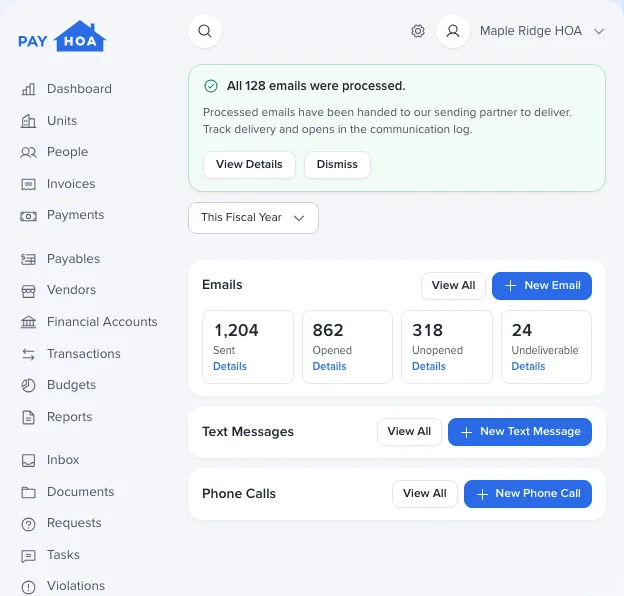
Send texts, emails, and phone calls
- Email, text or phone call
- No per-message fees
- Schedule emails and calls
- See who opened it
-
Mail Room
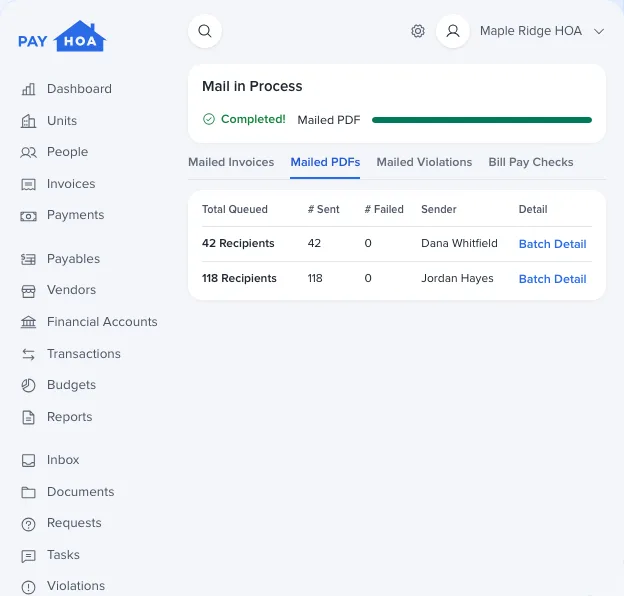
Print and mail USPS letters
- Letters, invoices and notices
- Printed and mailed for you
- Certified or registered mail
- Tracking for every letter
-
Message Boards
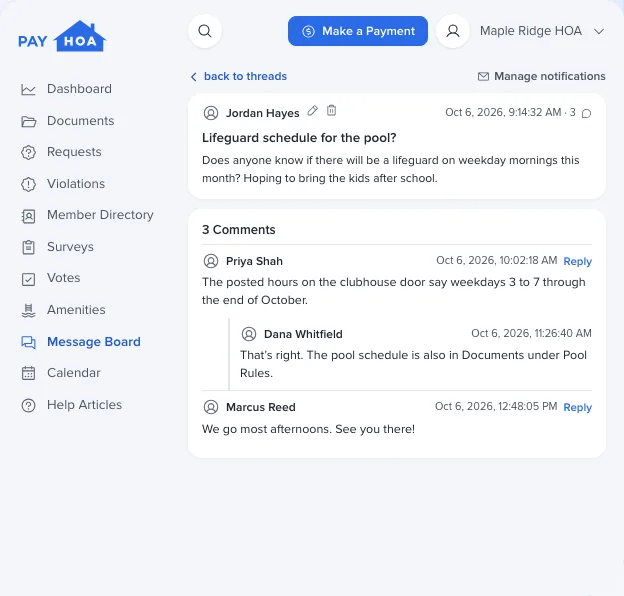
Engage your community with private forums
- As many boards as you need
- You choose who sees and posts
- Updates by email
- Private to your members
-
Website Builder
Create a professional website
- Your name, logo and colors
- A web address from day one
- A door to the resident portal
- AI assistant for visitors
-
CalendarNew
Share events and send reminders
- Month, week, day, and agenda
- Public or private events
- Email and text reminders
- Add to Google, Apple, or Outlook
How it fits together
Clear communication keeps homeowners engaged and the board transparent. Our HOA board communication software gives you a channel for every message, so it reaches homeowners where they are, whether it’s an event reminder, a project update, or an emergency alert. Everything you send is saved to each unit’s history, so the board always knows what went out and when.
- Mass Communication
Get the word out
Email, text, or call homeowners, from a quick reminder to an urgent alert, and see who opened each email.
- Mail Room
Mail letters without the post office
PayHOA prints and mails your letters by USPS, with certified or registered mail when you need it.
- Message Boards
Keep neighbors connected
Private message boards for community chat, announcements, and committees, with updates by email.
- Website Builder
A strong online presence
A website for your association, with a link to the resident portal and an AI assistant to answer visitors’ questions.
- Calendar
Everyone on the same schedule
Meetings, events, and amenity bookings on one calendar, with email or text reminders on any event.
Gable helps every message land.
Gable, your community’s AI assistant, answers the board’s questions, and helps draft the emails, texts, and posts you need to send, all for your review.
See what Gable does- Answers
“Who has no email on file?”
- Tasks
“Email the owners on Birch Court that the street is being repaved Thursday, and ask them to park elsewhere.”
- Tasks
“Post a thread on Board Announcements that the pool closes for the season on October 31.”
Communication features: common questions
Something else on your mind? Our team is happy to walk you through it.
Talk to our teamNo. There are no per-message fees for emails, texts or phone calls. Mailed letters are different: postage applies when you mail through Mail Room.
Yes. Add certified or registered mail to any first-class letter, invoice or violation letter, and follow it with its USPS tracking number. PayHOA doesn’t offer return receipts.
Yes. For every recipient you can see whether an email was delivered and opened. Texts and calls show whether they were delivered.
Only people in your association who sign in to PayHOA. A board open to everyone is visible to all your members; a private board only to admins and the members you choose.
No. Every site gets its own address, like yourhoa.site.payhoa.com, and you can connect a domain you own once your site is published. The website builder is optional, and nothing goes live until you publish.
